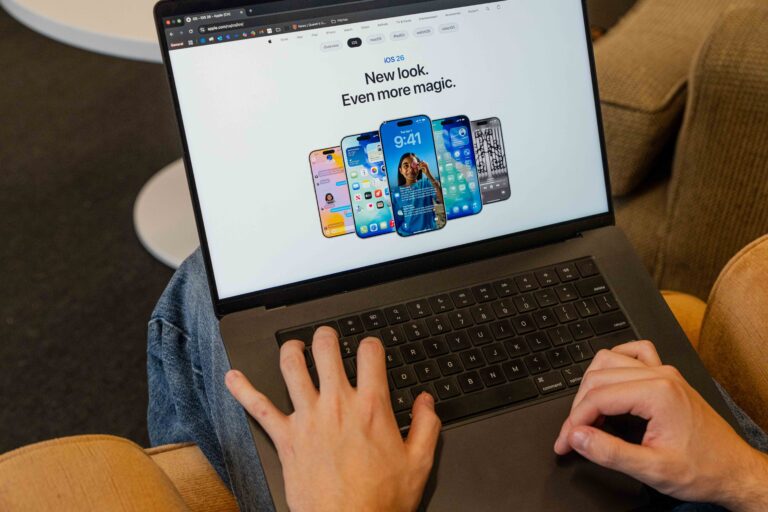
Apple announced iOS 26 at WWDC 2025, introducing a new design, AI tools, and unified software versioning across devices.
Apple has officially rolled out iOS 26, its newest mobile operating system, promising a mix of new features and refining the iPhone experience. The update features a reimagining of the iPhone experience with a fresh design and deeper personalization.
At the heart of the update is Liquid Glass—a brand-new interface with a translucent material effect for all of Apple’s systems. The new look draws inspiration from VisionOS, the software on the Vision Pro headset.
The Home Screen and Lock Screen now feel more dynamic, with fluid time displays, spatial wallpapers, and richer customization options. Apple’s core apps have also been refined. Camera gains a streamlined layout with a refreshed mode wheel, Photos separates the Library and Collections views, and redesigned tab bars in apps such as Safari, Music, and Podcasts adapt seamlessly to content.
According to Bloomberg, Apple officials are hoping that a “breakthrough new interface can help spur demand after a sluggish stretch.” Since their revenue slowed down as a result of the pandemic and their biggest moneymaker, the iPhone, suffered an unexpected dip in sales during the 2024 holiday season, the iOS 26 update must see success.
Beyond aesthetics, Apple is embedding its Apple Intelligence framework deeper into the operating system. Messages, FaceTime, and Phone now feature real-time translation of both text and audio, powered by on-device models that prioritize privacy.
Visual intelligence tools allow the iPhone to interpret what’s on screen, for example, recognizing a date in a message and prompting the user to create a calendar event.
Creative tools are also expanding, with features like “Genmoji,” which lets users generate personalized emoji, and Image Playground, which creates custom visuals on demand.
Communication tools receive some of the most practical updates. The Phone app consolidates Favourites, Recents, and Voicemail into a unified view while adding call screening and a “Hold Assist” feature that alerts users when a live agent joins the line. In Messages, unknown senders are automatically filtered into a separate folder, reducing spam interruptions.
Despite all the new features, some users argue that the update may not be everything Apple promises it to be. “This is the ugliest iOS I’ve ever seen,” a user commented on Reddit.
By rebranding its operating systems under a single version number and introducing a shared design language, Apple’s taking a decisive step toward unifying its platforms. With the entire operating system changing, the stakes are much higher.
Tags
All final editorial decisions are made by the Editor(s) in Chief and/or the Managing Editor. Authors should not be contacted, targeted, or harassed under any circumstances. If you have any grievances with this article, please direct your comments to eic@queensjournal.ca.